We're excited to introduce the Table Tennis Wales Hub, your new home for managing your Table Tennis Wales membership, accessing key resources, and staying connected with the sport across Wales.
The TTW Hub is now live and ready for you to claim your account, manage your membership details, and renew your membership for the upcoming season through our new platform
To continue enjoying the benefits of Table Tennis Wales membership, please:
Claim your account on the new TTW Hub
Review and update your personal details
Renew your membership for the new season
Explore the new features and resources available
As a member of Table Tennis Wales, you'll continue to receive valuable benefits, including:
Eligibility to participate in sanctioned competitions and events
Access to rankings and ratings (where applicable)
Support for clubs, leagues, coaches and volunteers
Relevant insurance and membership protections
Direct access to news, programmes and opportunities across Wales
Most importantly, your membership helps Table Tennis Wales continue its work developing the sport at every level, from grassroots participation to performance pathways for Welsh athletes. Table Tennis Wales is the national governing body for the sport in Wales and supports both community participation and elite player development.

The homepage is the first screen you will see when visiting TTW Hwb
Select Get started when you are ready to access the Hub.
Good to know: Screens may look slightly different depending on your device, whether you are signed in and any improvements made to TTW Hwb after this guide was published.
The same process works for new members and people who already have a Table Tennis Wales membership. If an existing record is found, TTW Hwb will link it to your new account.
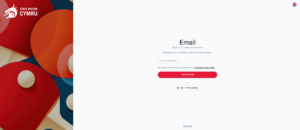
1 Enter your email address
Use an email address that you can access now.
After selecting Get started, enter your email address and select Confirm Email.
This does not have to be the email address previously recorded against your membership. Existing members can claim their record later using their personal details and TTW ID or postcode.
Passkeys: The passkey option is an alternative sign-in method.
This guide follows the email verification route used when setting up or claiming an account.
Enter your email address, then select Confirm Email.
2 Verify your email
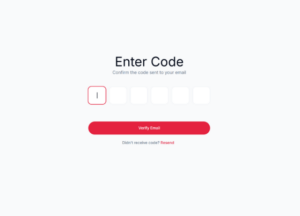
Enter the one-time passcode sent to your inbox.
TTE Hub will send a six-digit one-time passcode (OTP)
Open the verification email.
Enter the six-digit code on the Enter Code screen.
Select Verify Email.
Keep future messages out of junk: Add the sender address to your safe senders list. If the message does not arrive, check your spam or junk folder and use Resend.
3 Complete your personal details
TTW Hwb uses these details to find an existing membership or create a new profile.
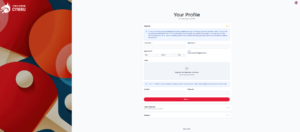
Enter your first name, last name and date of birth. You can also add a profile image if you wish.
To match an existing membership, TTW Hwb checks your first name, last name and date of birth together with either your TTW ID or postcode.
Existing member: Enter the details held on your membership record. Include your TTW ID if you know it, or use the postcode recorded against your membership.
New member: Complete your personal details and postcode, but leave the TTW ID field blank.
Only enter a TTW ID if you already have one. This field identifies and links existing records; it is not used to request a new number.
Complete the required personal fields marked with an asterisk.
Existing members can provide their TTW ID or postcode to help locate their membership.
4 Review your details
Complete the remaining address and contact information.
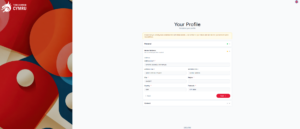
If TTW Hwb finds an existing membership, a confirmation message will appear and the information already held on your record will be filled in automatically.
Review the information, complete any missing required fields in Home Address and Contact, and select Next.
If no existing record is found, continue completing the form to create a new profile.
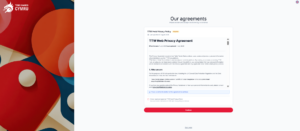
5 Read and accept the privacy agreement
Acceptance of the TTW Hwb Privacy Policy is required.
Read the agreement and scroll to the bottom of the policy panel.
Select I have read and agree to TTW Hwb Privacy Policy.
Select Continue.
Checkbox unavailable? You must scroll to the bottom of the agreement before the acceptance option becomes available.
6 Choose your communication preferences
Marketing and promotional communications are optional.
Choose whether you would like to receive news, information and relevant offers from Table Tennis Wales.
Select the checkbox to opt in, or leave it clear if you do not. You will still receive essential account, membership and policy messages. Select Finish.
7 You’re ready to use TTW Hwb
Your account has now been created or linked to your existing membership record.
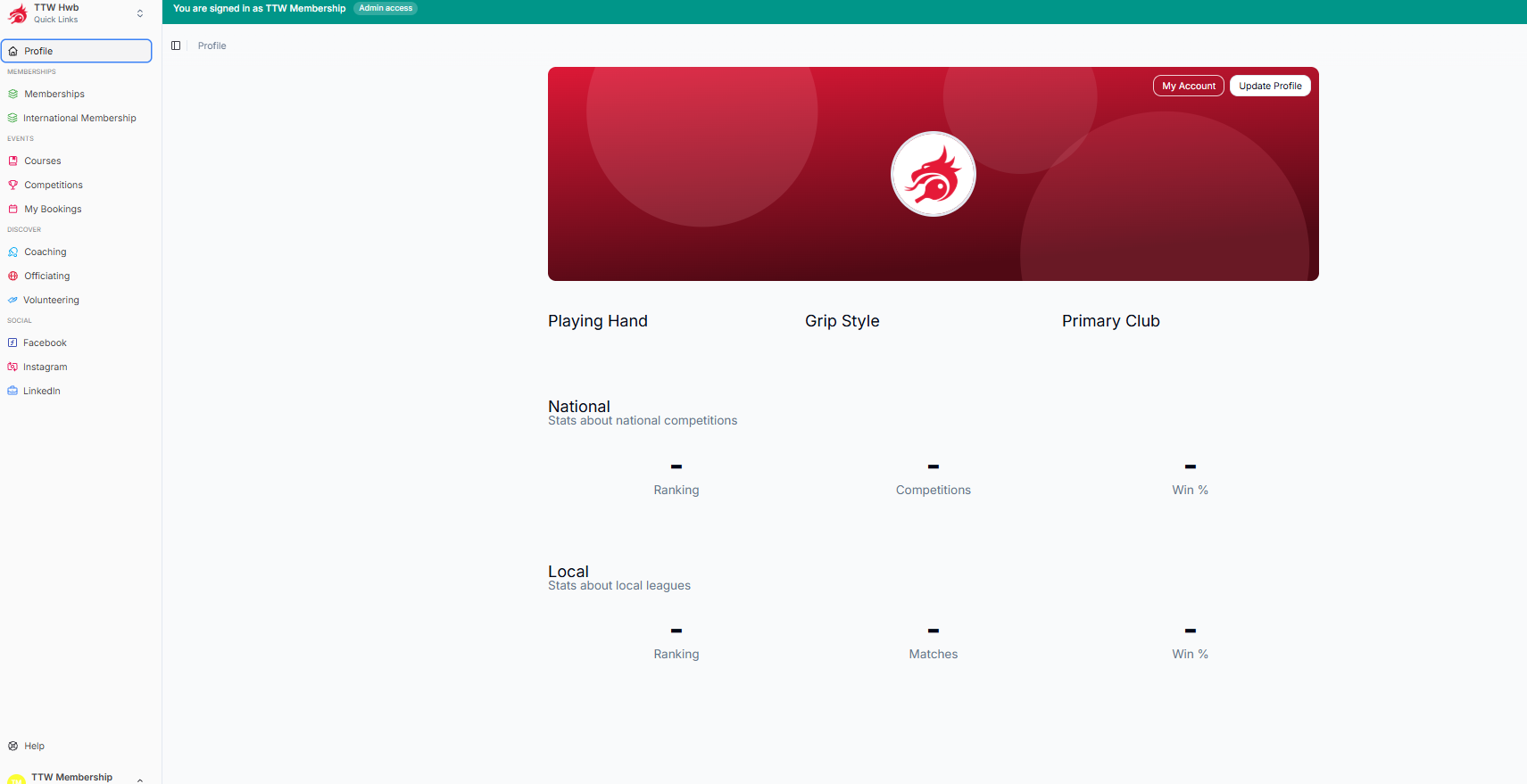
You will be taken to your profile, where you can review your information and access the different areas of TTW Hwb.
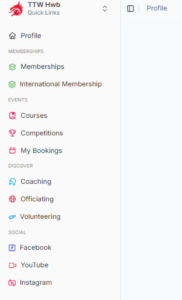
To purchase your membership for the new season, select Memberships from the navigation menu.
Choose the membership that suits how you take part in table tennis, complete the short application and pay securely through TTW Hwb.
Table Tennis Wales makes it quick and easy to purchase your season membership, whether you support the sport, play socially at a club or compete in leagues and national competitions.
Before you begin
Have your playing information, league affiliations and payment details ready
The questions and price shown may differ depending on the membership you select.
Choose, complete and pay
TTW Hwb guides you through the information, affiliations and agreements required for your chosen membership.
1 Choose your membership
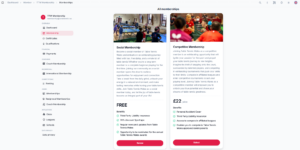
Select Memberships from the left menu. Review Social Membership or Competitive Membership, then choose the option that reflects how you take part in table tennis.
2 Complete the membership questions
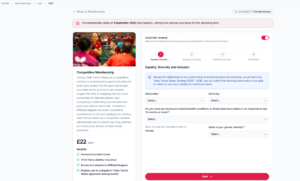
Work through each stage of the application wizard.
Complete the required equality, diversity and inclusion, emergency contact, additional information and certification fields presented for your membership.
Automatic renewal: Turn this on if you want the membership to renew at the end of its term using your saved payment method.
Questions vary: The stages depend on the membership selected and the information already held on your profile.
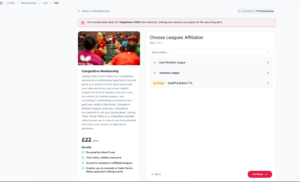
3 Confirm your league affiliations
Add the leagues you play in and identify your primary league.
Use Add another to add each relevant league.
Select the star beside your primary affiliation.
Remove incorrect entries using ×.
Select Continue.
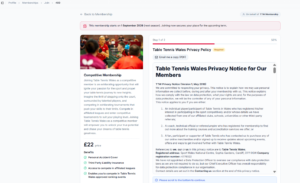
4 Review the membership agreements
Read and accept every agreement marked as required.
Scroll through each privacy notice, membership policy or other agreement, select the required confirmation and choose Next. A copy may also be sent to your email.
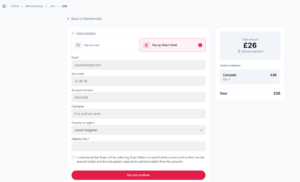
5 Choose how to pay
Pay by card or Direct Debit and review the order total.
You can optionally add a donation. Enter the requested card or bank-account and billing details, confirm any authorisation, then select Pay and continue.
Direct Debit: Provide the account holder’s details and billing address. Card: Provide the card number, expiry date, security code and billing postcode.
Prices may vary depending on membership type selected*
Direct Debit can be used for automatic future renewal where enabled.
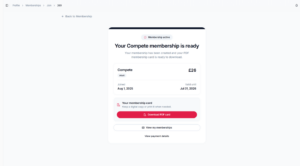
6 Download your membership card
Your confirmation screen shows when the membership is active.
Download the PDF card, open View my memberships or review the payment details.
Help
Things to check
The price differs from the example
Prices can vary by age and season. Use the price and age category shown on your account.
Your league is not listed
Check the spelling and profile information, then contact support if it still cannot be found.
Payment was not accepted
Check the payment and billing details, try the alternative method or contact your payment provider.
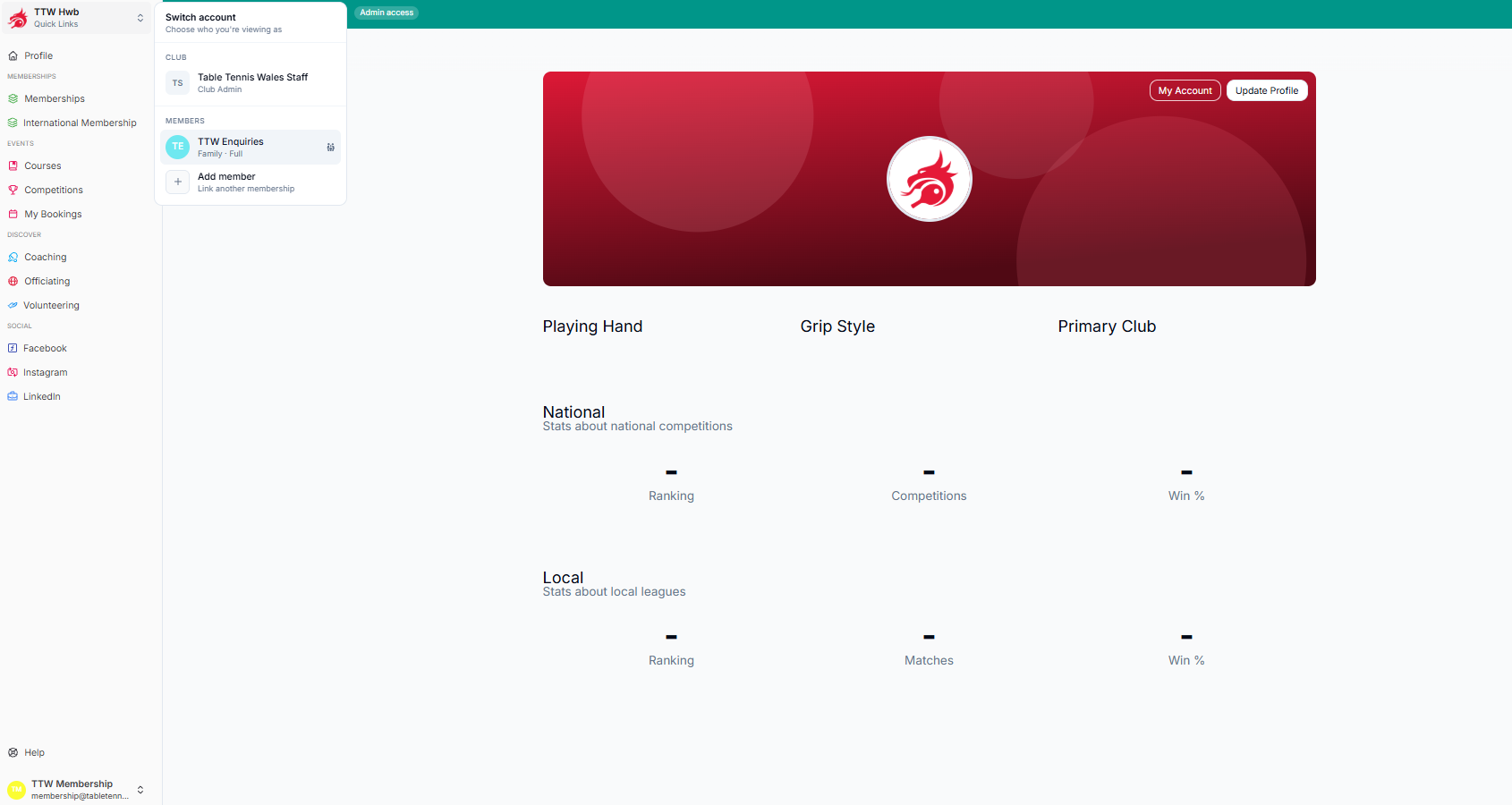
If you have access to more than one account, such as a personal account and an administrator account, you can switch between them using the account switcher in the top-left corner of TTW Hwb.
How to switch accounts
Locate the account switcher in the top-left corner of the screen, beside the TTW Hwb logo.
Select the arrow icon to open the list of available accounts.
Choose the account you would like to access.
TTW Hwb will switch to the selected account automatically.
Tips
Ensure you are working in the correct account before making changes or processing memberships.
Users with administrator permissions may see both their personal profile and any club or league administrator accounts they can access.
If you cannot see the account you need, try signing out and back in or contact Table Tennis Wales support for assistance.
If you already hold a valid membership with another ITTF-affiliated national association, you may be eligible for a free Table Tennis Wales International Federation Membership.
Sign in to TTW Hwb
Log in to your TTW Hwb account.
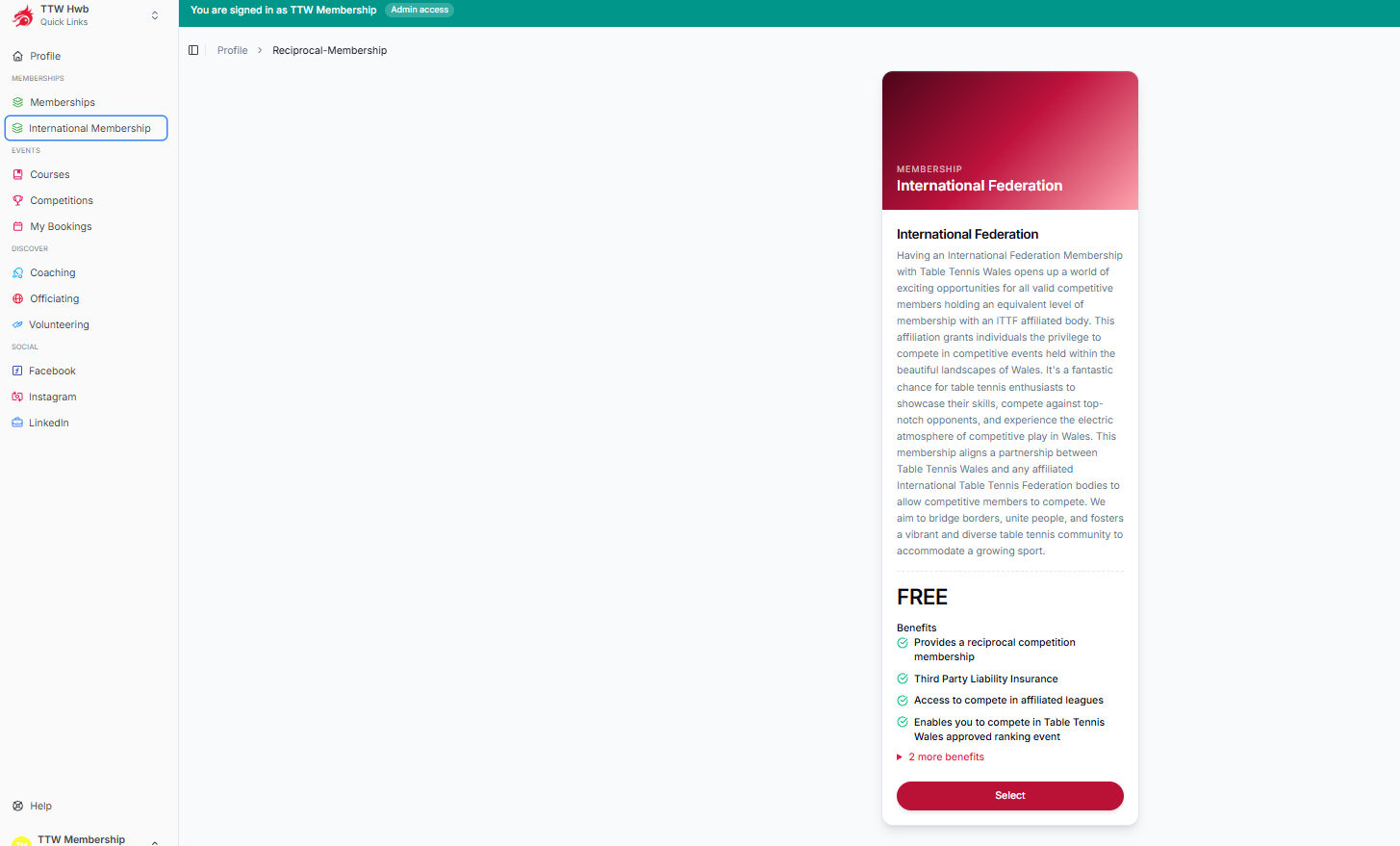
From the left-hand menu, select International Membership, highlighted in green.
Start Your Application
The International Federation Membership page will open.
Review the membership information and select Select to begin your application.
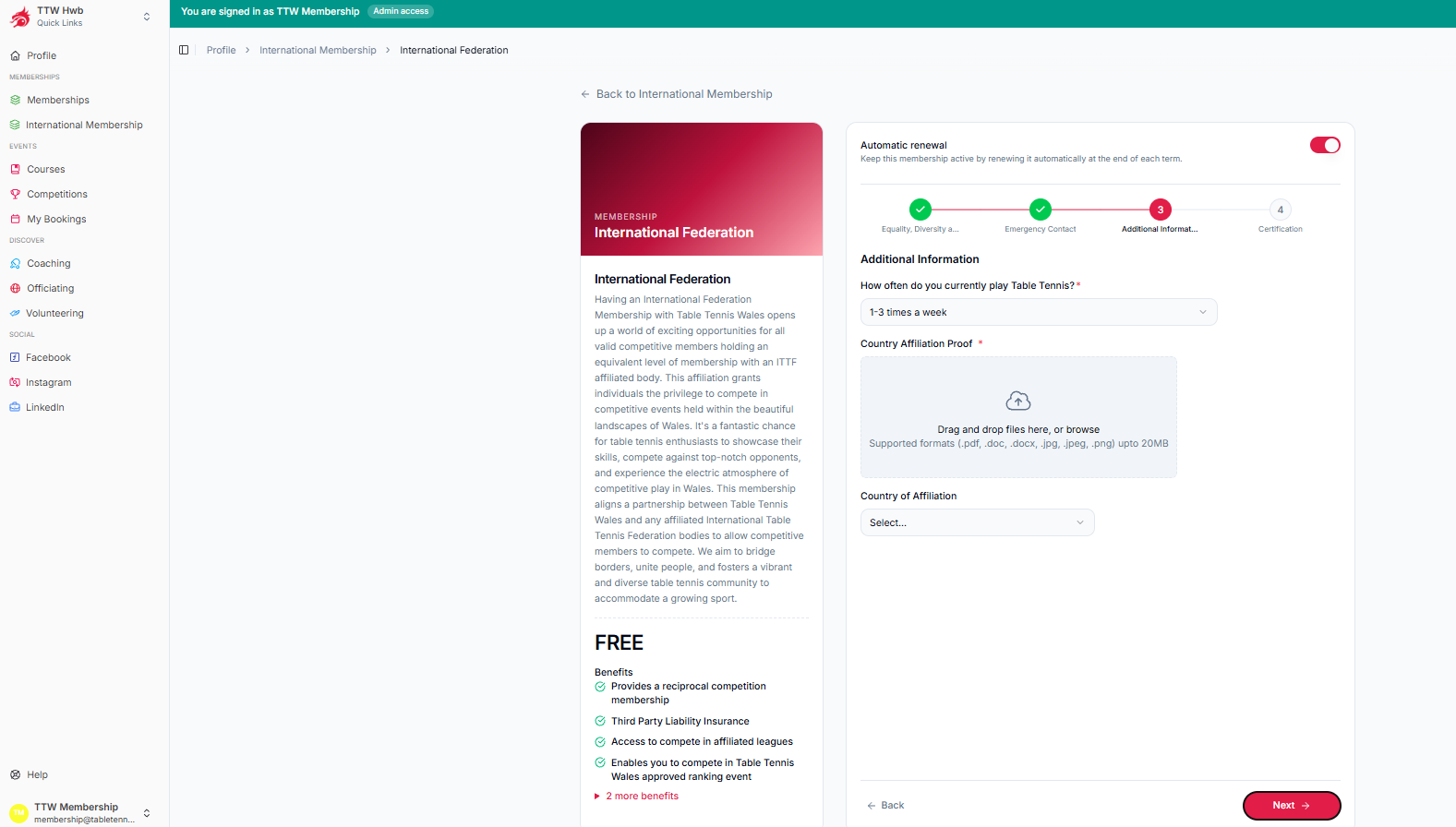
Complete the Application
Work through the application stages as prompted.
You will be asked to complete:
Equality, Diversity and Inclusion (EDI) information
Emergency Contact details
Upload Evidence of Your Existing Membership
In the International Membership Details section:
Select the national association where your current membership is held.
Upload evidence of your membership, such as:
Membership card
Screenshot of your membership record
The document must clearly show your name and current membership status.
Review and Submit
Review the information provided and confirm that all details are correct.
Select Submit to send your application to Table Tennis Wales for verification.
Verification and Approval
Table Tennis Wales will verify your membership with the relevant national association.
Once approved:
Your International Federation Membership will be activated free of charge.
The membership will appear in your profile under Memberships.
You will be eligible to enter Table Tennis Wales sanctioned events where the membership requirement is applicable.
Important: Reciprocal memberships are available only to players who currently hold an active membership with another recognised ITTF-affiliated national association. Evidence must be provided before approval can be granted.
OUR SUPPORTERS
If you need any further information, please get in touch via our contact page.
We use cookies on our website to give you the most relevant experience by remembering your preferences and repeat visits. By clicking “Accept”, you consent to the use of ALL the cookies.
This website uses cookies to improve your experience while you navigate through the website. Out of these, the cookies that are categorized as necessary are stored on your browser as they are essential for the working of basic functionalities of the website. We also use third-party cookies that help us analyze and understand how you use this website. These cookies will be stored in your browser only with your consent. You also have the option to opt-out of these cookies. But opting out of some of these cookies may affect your browsing experience.
Necessary cookies are absolutely essential for the website to function properly. These cookies ensure basic functionalities and security features of the website, anonymously.
Cookie
Duration
Description
cookielawinfo-checbox-analytics
11 months
This cookie is set by GDPR Cookie Consent plugin. The cookie is used to store the user consent for the cookies in the category "Analytics".
cookielawinfo-checbox-functional
11 months
The cookie is set by GDPR cookie consent to record the user consent for the cookies in the category "Functional".
cookielawinfo-checbox-others
11 months
This cookie is set by GDPR Cookie Consent plugin. The cookie is used to store the user consent for the cookies in the category "Other.
cookielawinfo-checkbox-necessary
11 months
This cookie is set by GDPR Cookie Consent plugin. The cookies is used to store the user consent for the cookies in the category "Necessary".
cookielawinfo-checkbox-performance
11 months
This cookie is set by GDPR Cookie Consent plugin. The cookie is used to store the user consent for the cookies in the category "Performance".
viewed_cookie_policy
11 months
The cookie is set by the GDPR Cookie Consent plugin and is used to store whether or not user has consented to the use of cookies. It does not store any personal data.
Functional cookies help to perform certain functionalities like sharing the content of the website on social media platforms, collect feedbacks, and other third-party features.
Performance cookies are used to understand and analyze the key performance indexes of the website which helps in delivering a better user experience for the visitors.
Analytical cookies are used to understand how visitors interact with the website. These cookies help provide information on metrics the number of visitors, bounce rate, traffic source, etc.